
Tag: Featured
12 posts tagged with "Featured"
Enabling DEMO:POLIS
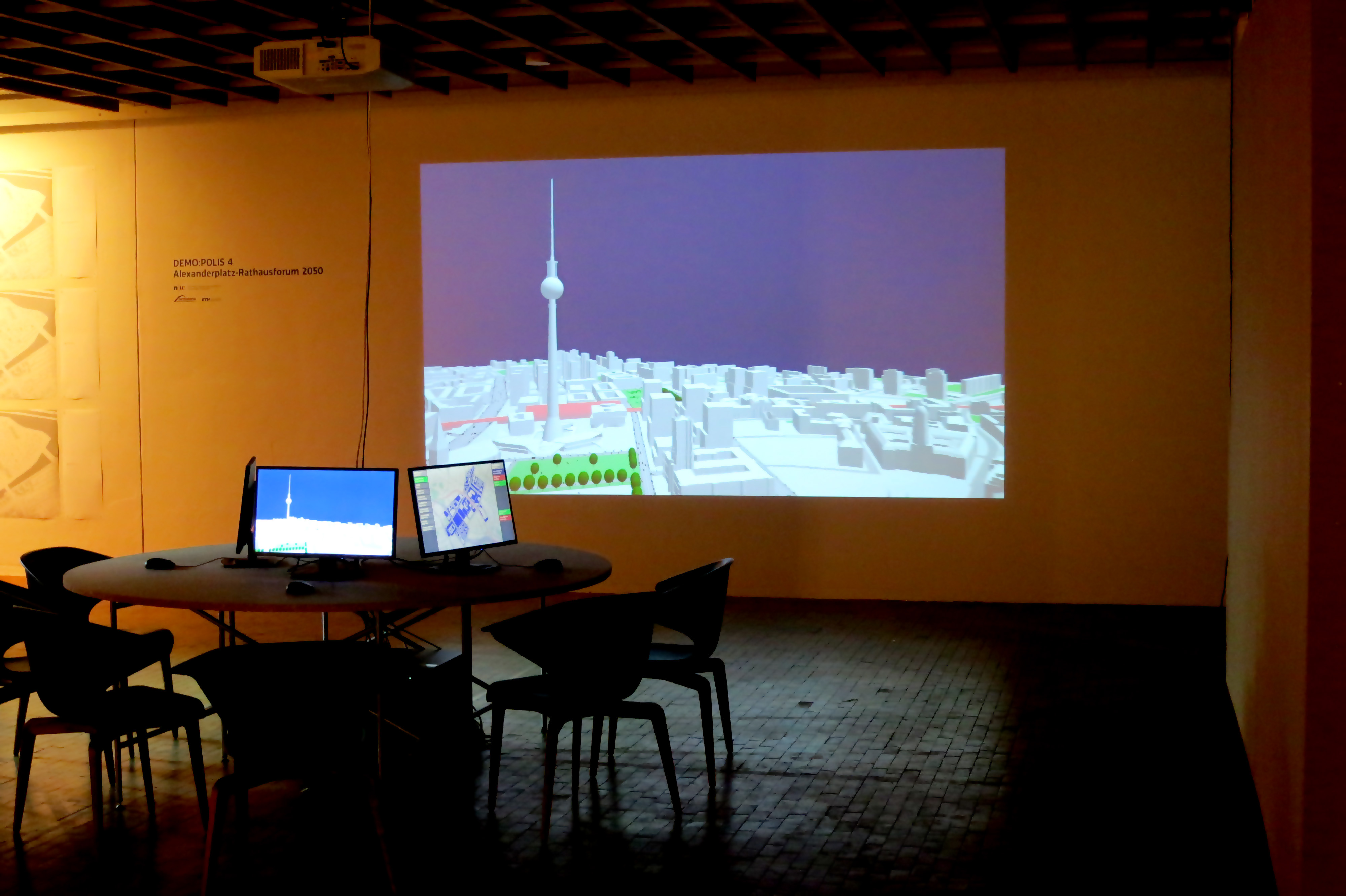
“Enabling DEMO:POLIS” is a participatory urban planning installation, presented as part of the DEMO:POLIS exhibition at the Berlin Akademie der Künste (https://www.adk.de/demopolis - 11.3.2016 - 29.5.2016). The installation engages the public in the design of open space and consists of six terminals that run a custom, interactive software application.
The software leads the user through a number of typical urban design tools (space allocation, streets, buildings, landscape, etc.) and concludes with a fly-through through the generated 3D scenario, in this case, the Rathausforum / Alexanderplatz area in Berlin.
The following video demonstrates a full cycle of a possible design.
Open Source
Source code, data and a binary build are available at: https://github.com/arisona
Credits
Concept: Stefan Arisona, Ruth Conroy Dalton, Christoph Hölscher, Wilfried Wang
Data & Coding: Stefan Arisona, Simon Schubiger, Zeng Wei
Support: Akademie der Künste Berlin, FHNW Switzerland (Institute of 4D Technologies), ETH Zürich (Future Cities Laboratory and Chair of Cognitive Science), Northumbria University (Architecture and Built Environment).
Data & Software Workflow
Enabling DEMO:POLIS builds on Open Data, in particular the publicly available 3D models of central Berlin provided by the Staatssenat für Stadtentwicklung und Umwelt (https://www.stadtentwicklung.berlin.de/planen/stadtmodelle/))
The original 3D models were initially imported into Autodesk AutoCAD for layer selection and coordinate system adjustments, then imported into Autodesk Maya for data cleaning and corrections. In a final step the data was imported into Esri CityEngine for final data adjustments & cleaning, merging, labelling, etc. The data was then exported as OBJs. The software application is written in Java, based on the 3D graphics library/engine ether. As indicated above, all source code and data is available as open source.
The Wild Jewels
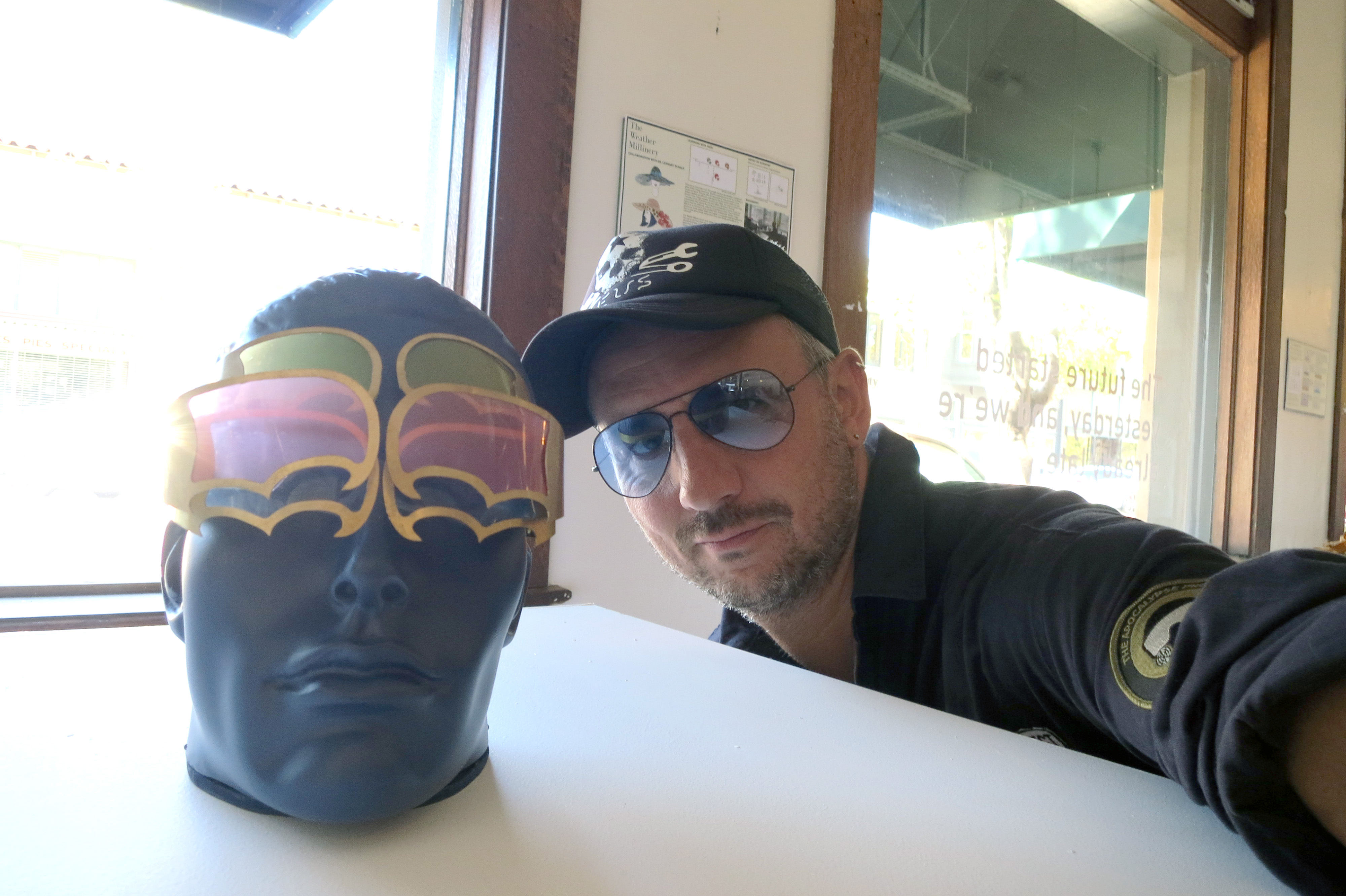
Exhibition at the Institute for the Future (IFTF), Palo Alto, 21 September 2015 - 15 April 2016 as part of the Apocalypse Exhibition by Catherine Young
Pre-opening at swissnex San Francisco, 19 September 2015
Stefan Arisona, Simon Schubiger, in collaboration with Catherine Young
The Wild Jewels explore the possibilities of data-driven wearable technology that responds to future environmental scenarios. The pieces make use of data provided by millions of sensors and mobile phones that permanently collect data of the momentary state of a city; and in addition expand the scale to include solar activity data collected from observatories and probes in space.
The collection is inspired by large data analysis and collaboration facilities such as the Value Lab Asia, and it demonstrates typical modes of interaction with data: visualizing, filtering, projecting and connecting in a different context. Thereby, the pieces freely re-interpret and embody these modes, and bring them to a small, personal scale. The functional aspect is combined with precious materials and traditional jewelry and accessory designs, ultimately to be worn as pretty artworks.
Raumwetter (Space Weather Orb)
Raumwetter is a necklace that visualizes the beauty of space weather: The sun permanently releases streams of hot gas into space – the solar wind. A solar flare may blast millions of tons of matter into space, turning the wind into a storm reaching speeds of up to 2 million miles per hour. Luckily, on earth we are protected. Earth’s magnetic field redirects most charged solar particles to flow around the planet. However, space based technology (GPS), communication systems and power grids may be at risk. Thus, Raumwetter also has the capability to warn you of intense solar events.
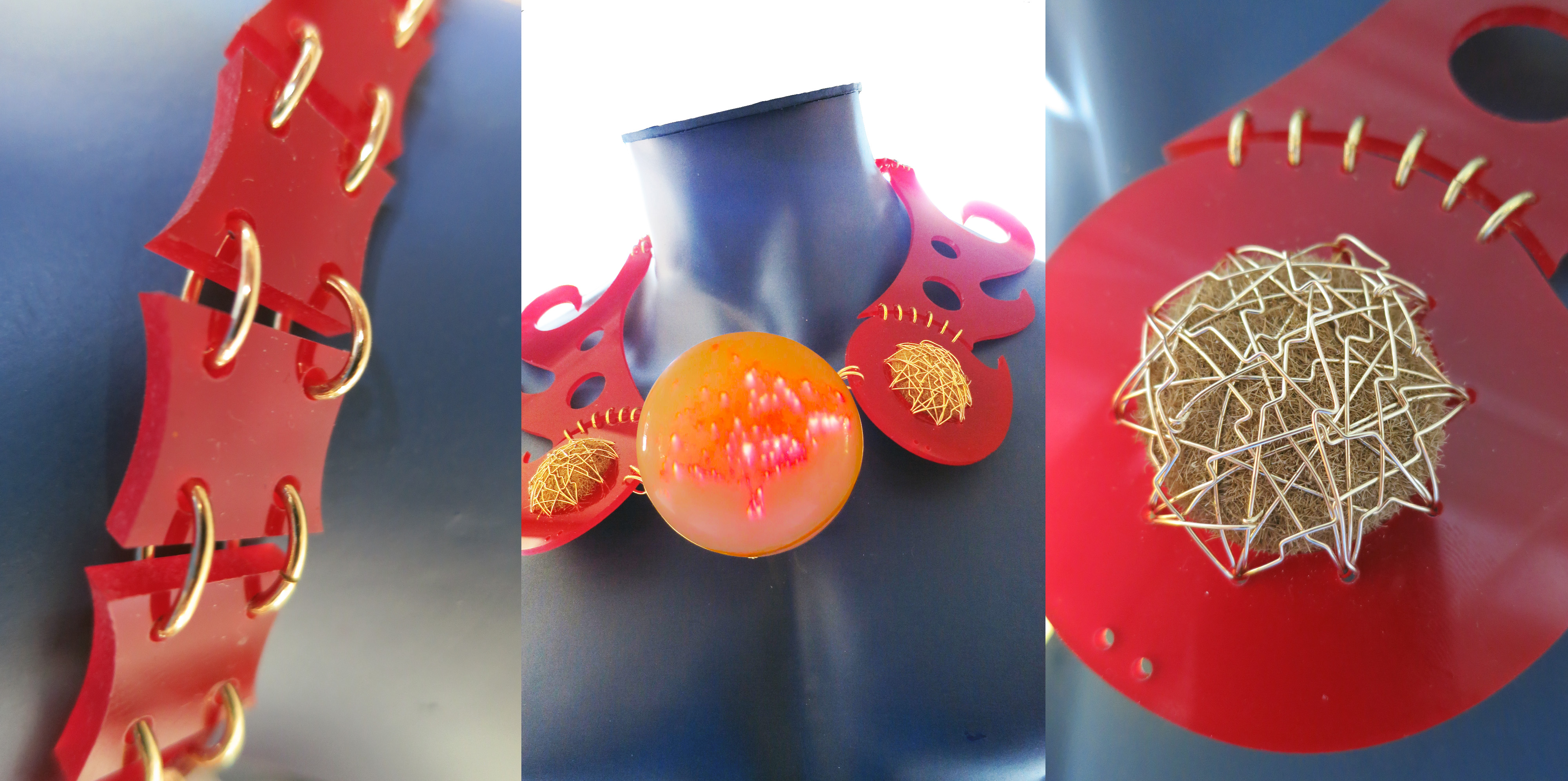 Raumwetter: Machine-cut acrylic; “patate di mare”; gold wire; transparent acrylic sphere, lit with pico-projector from inside.
Giftschleuse (Poison Gate Cuff)
On Earth, 780 million people do not have access to clean water, and in the near future, availability of water is expected to decrease in many regions. Giftschleuse is a water filtering bangle that can be worn at all times. It provides instant, clean water. Similarly to an exo-skeleton, it is an exo-organ that provides additional functions to the human body in situations where our own organism cannot deal with conditions such as polluted water. In addition, it maps areas of clean water and shares the data with other water-seekers nearby.
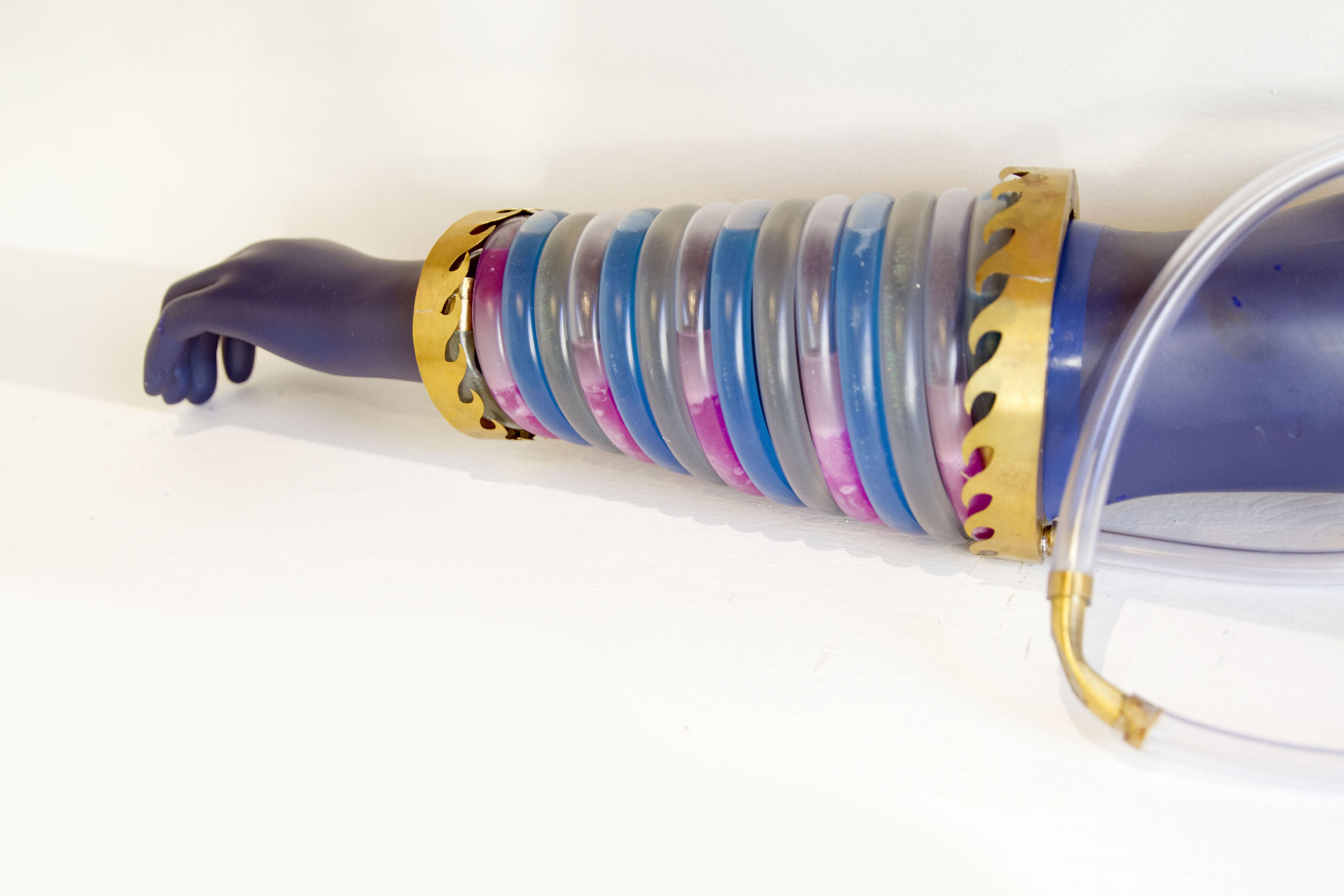 Giftschleuse: Machine cut brass, silicon pipes, coloured cooling liquid, electrical pumps.
Durchblick (Clear Vision Goggles)
Besides correcting your seeing capabilities and protecting your eyes from strong light, Durchblick is a multifunctional display device that allows you to project the invisible into your visual perception: Depending on its configuration, it provides hints about wireless communication networks, radiation, dust and more. These are the shades for a hotter planet!
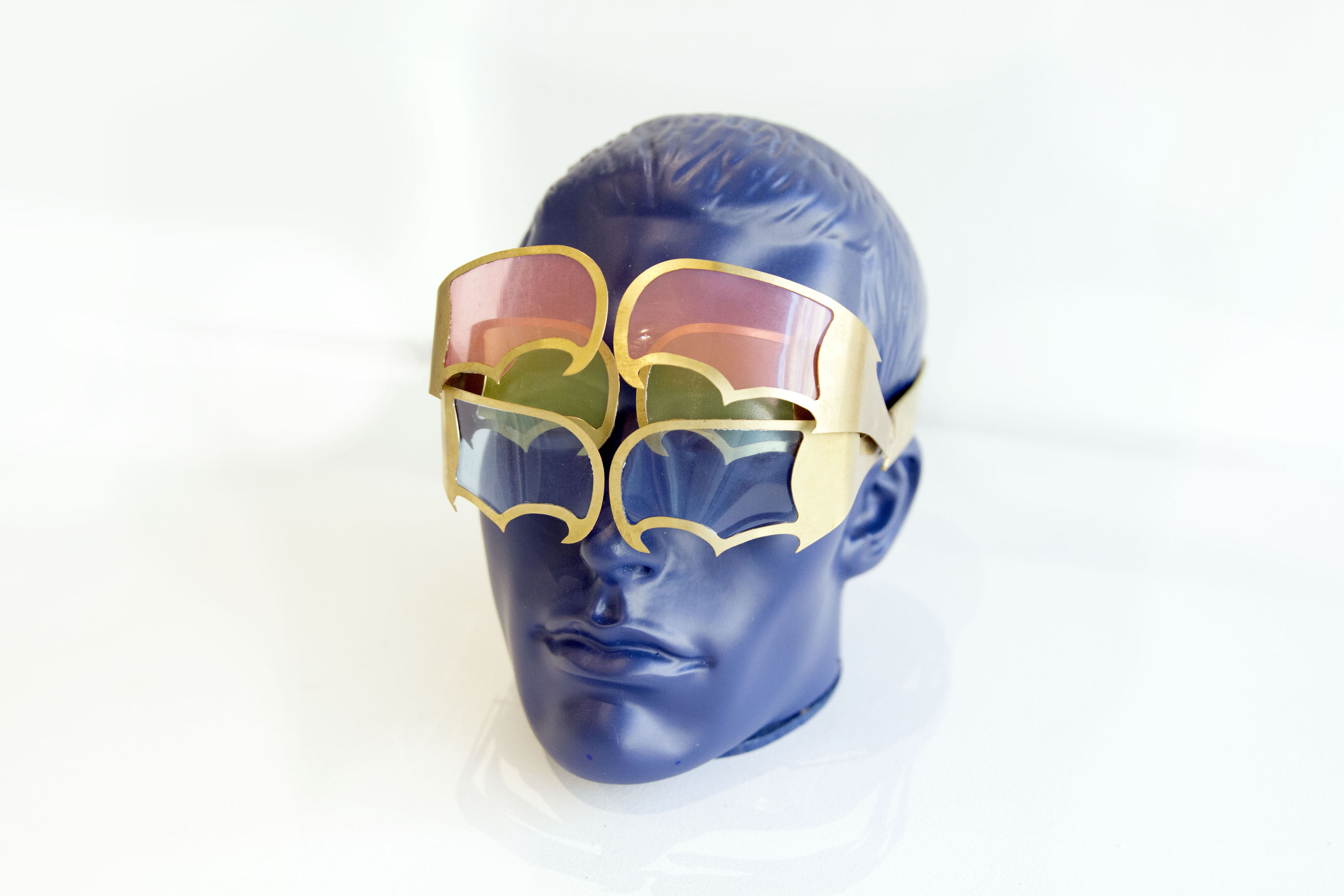 Durchblick: Machine-cut brass, acrylic glasses, motorised clock-work driving the shades.
Übergesund (Super Health Glove)
Übergesund is decorated glove and a social health device that builds spontaneous data networks with other wearers. It will inform you if somebody near you needs help, and it forwards such alerts to others around who might be able to help. In densely populated areas, such as in cities, Übergesund provides a decentralized health-network that allows for community-sourced services that are available at a high response time.
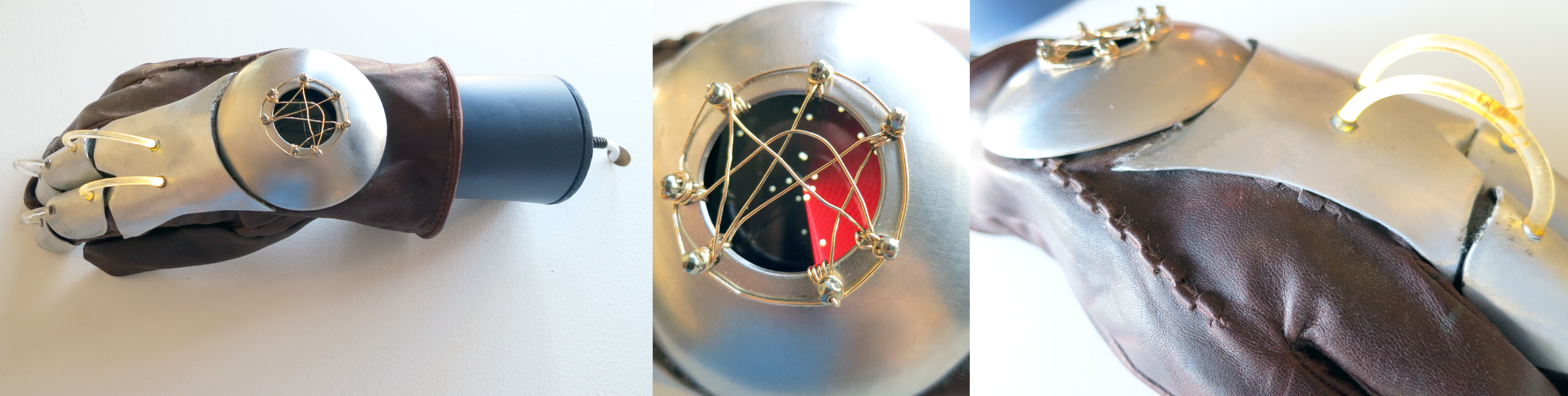 Übergesund: Cut, turned and brushed steel; gold wire; silicon LED strings; custom-programmed smart watch LCD display.
This work was supported by: ETH Zürich (ETH Global & Future Cities Laboratory), FHNW (Institute of 4D Technologies), Institute for the Future, swissnex San Francisco, Consulate General of Switzerland in San Francisco.

More infos on the Apocalypse Project: https://apocalypse.cc
CityEngine nominated for 2015 Academy Awards
Good news: CityEngine is under consideration for the 2015 Academy Awards - the so-called “Tech-Oscars”. Fingers crossed!
Update: while we didn’t win, we’re still proud of the nomination!
Multi-Projector-Mapper (MPM): Open-Source 3D Projection Mapping Software Framework
1 Introduction
The multi-projector-mapper (MPM) is an open-source software framework for 3D projection mapping using multiple projectors. It contains a basic rendering infrastructure, and interactive tools for projector calibration. For calibration, the method given in Oliver Bimber and Ramesh Raskar’s book Spatial Augmented Reality, Appendix A, is used.
The framework is the outcome of the “Projections of Reality” cluster at smartgeometry 2013, and is to be seen as a prototype that can be used for developing specialized projection mapping applications. Alternatively, the projector calibration method alone could also be used just to output the OpenGL projection and modelview matrices, which then can be used by other applications. In addition, the more generic code within the framework might as well serve as a starting point for those who want to dive into ‘pure’ Java / OpenGL coding (e.g. when coming from Processing).
Currently, at ETH Zurich’s Future Cities Laboratory we continue to work on the code. Among upcoming features will be the integration of the 3D scene analysis component, that was so far realised by a separate application. Your suggestions and feedback are welcome!
1 Source Code Repository @ GitHub
The framework is available as open-source (BSD licensed). Jump to GitHub to get the source code:
https://github.com/arisona/mpm
The repository contains an Eclipse project, including dependencies such as JOGL etc. Thus the code should run out of the box on Mac OS X, Windows and Linux.
2 Usage
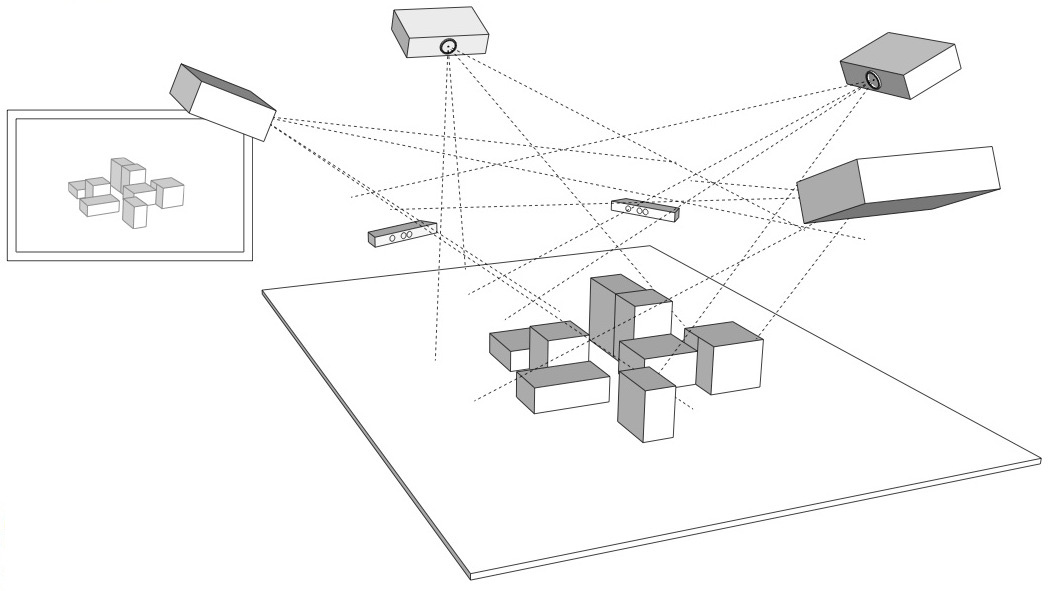
The framework allows an arbitrary number of projectors - as many as your computer allows. At smartgeometry, we were using an AMD HD 7870 Eyefinity 6 with 6 mini-displayport outputs, where four outputs were used for projection mapping and one as control output:
2.1 Configuration
The code allows opening an OpenGL window for every output (for projection mapped scenes, windows without decorations are used, and they can be placed accordingly at full screen on the virtual desktop):
public MPM() {
  ICalibrationModel model = new SampleCalibrationModel();
  scene = new Scene();
  scene.setModel(model);
  scene.addView(new View(scene, 0, 10, 512, 512, "View 0", 0, 0.0, View.ViewType.CONTROL_VIEW));
  scene.addView(new View(scene, 530, 0, 512, 512, "View 1", 1, 0.0, View.ViewType.PROJECTION_VIEW));
  scene.addView(new View(scene, 530, 530, 512, 512, "View 2", 2, 90.0, View.ViewType.PROJECTION_VIEW));
  ...
}
Above code opens three windows: one control view (which contains window decorations), and two projection views (without decorations). The coordinates and window sizes in this example are just samples and need to be adjusted for a concrete case (i.e. depending on virtual desktop configuration).
2.2 Launching the Application & Calibration
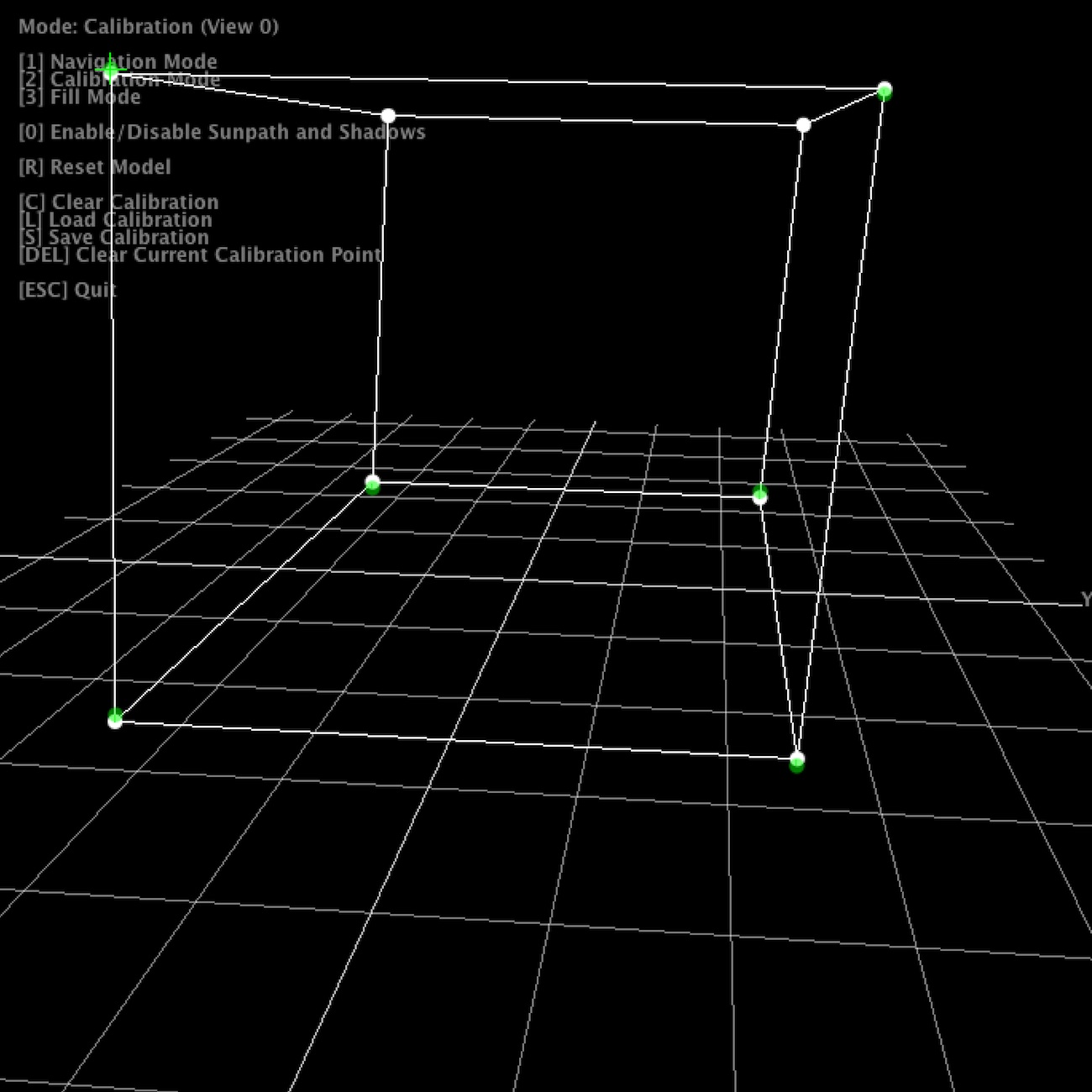
Once the application launches, all views show the default scene. The control view in addition shows the available key strokes. Pressing “2” switches to calibration mode. The views will now show the calibration model, with calibration points. Note that in calibration mode, all projection views will blank, unless their window is activated (i.e. by clicking into the window).
For calibration, 6 circular calibration points in 3D space need to be matched to the their physical counterparts. Thus, when using the default calibration model, which is a cube, a physical calibration rig corresponding to the cube needs to be used:
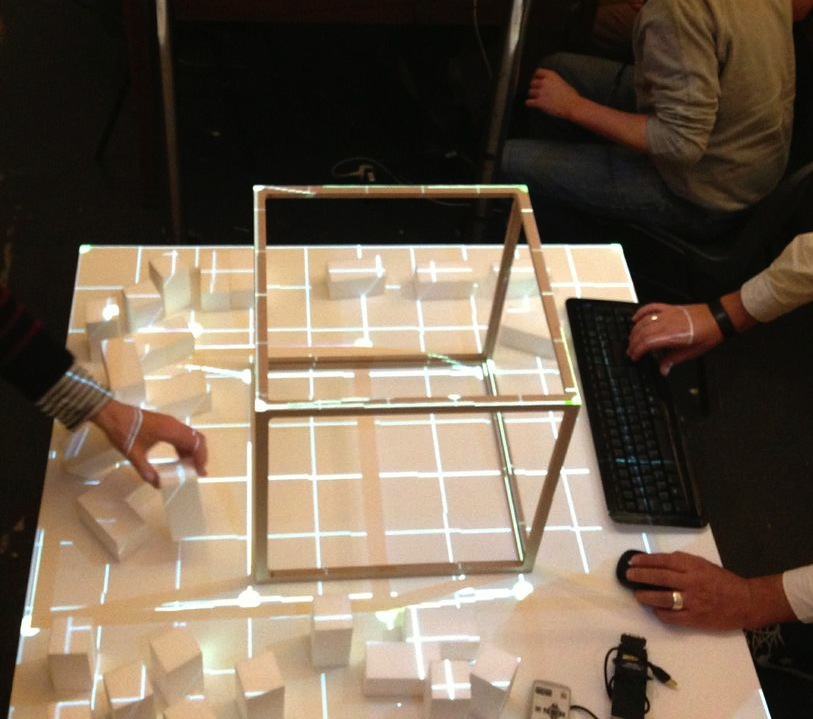
The individual points can now be matched by dragging them with the mouse. For fine tuning, use the cursor keys. As soon as the 6th point is selected, the scene automatically adjusts.
For first time setup, there is also a ‘fill mode’ which basically projects a white filled rectangle (with a cross hair in the middle) for each projector. This allows for easy rough adjustment of each project. Hit “3” to activate fill mode.
Once calibration is complete, press “S” to save the configuration, and “1” to return to navigation / rendering mode. On the next restart, press “L” to load the previous configuration. When in rendering mode, the actual model is shown, which by default is just a fake model, thus a piece of code that is application specific. The renderer includes shadow volume rendering (press “0” to toggle shadows), however the code is not optimised at this point.
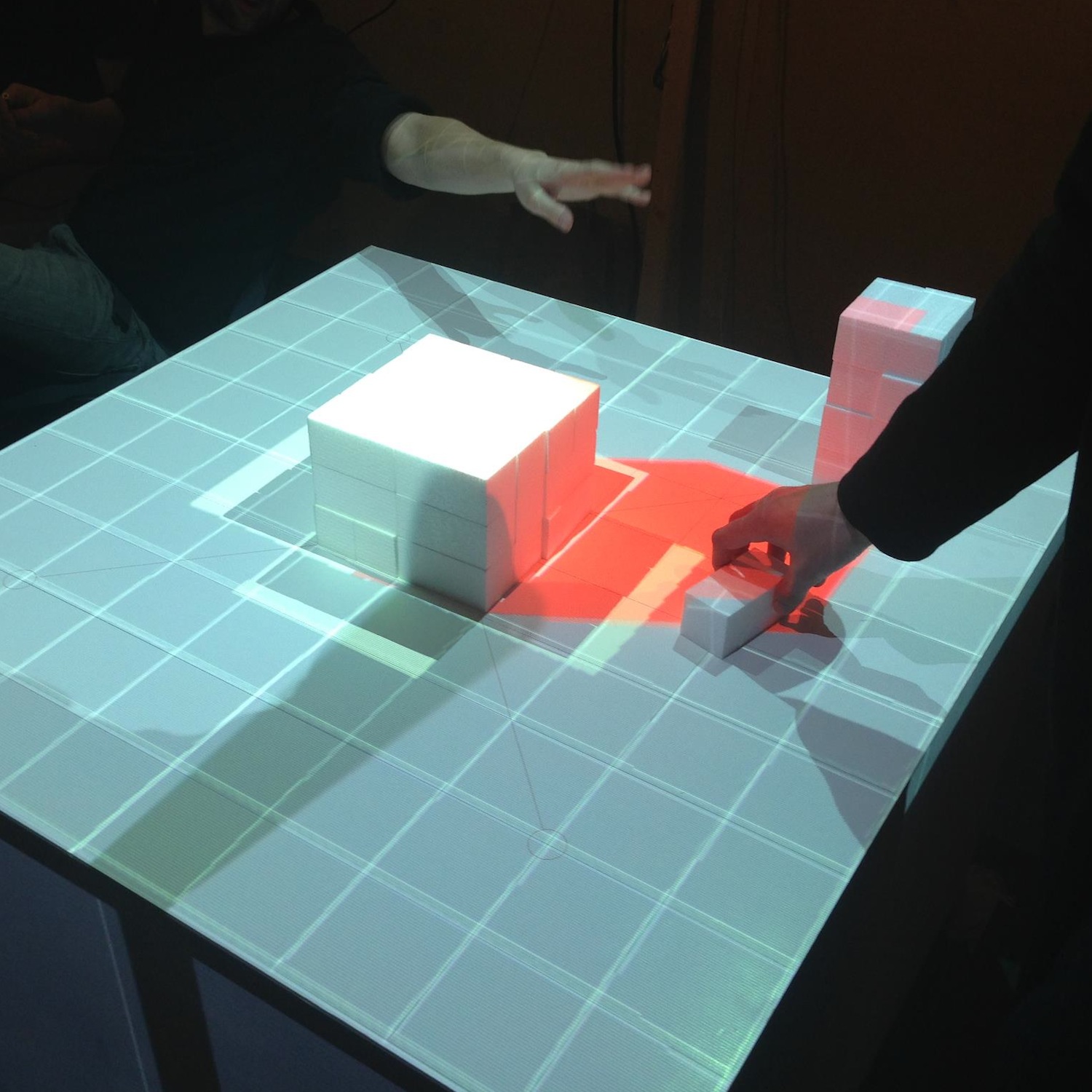
Note that it is not necessary to use a cube as calibration rig - basically any 3D shape can be used for calibration, as long as you have a matching 3D and physical model. Simply replace the initialisation of your ICalibrationModel with an instance of your custom model.
The following YouTube video provides a short overview of the calibration and projection procedure:
3 Code Internals and Additional Features
The code is written in Java using the JOGL OpenGL bindings for rendering, and the Apache Commons Math3 Library for the matrix decomposition. Most of the it is rather straightforward, as it is intentionally kept clean and modular. Rendering to multiple windows makes use of OpenGL shared contexts. Currently, we’re working on the transition towards OpenGL 3.2 and will replace the fixed pipeline code.
In addition, the code also contains a simple geometry server, basically listening via UDP or UDP/OSC for lists of coloured triangles, which are then fed into the renderer. Using this mechanism, at smartgeometry, we build a system consisting of multiple machines doing 3D scanning, geometry analysis and rendering, by sending geometry data between them using the network. Note that this is prototype code and will be replaced with a more systematic approach in future.
4 Credits & Further Information
Concept & projection setup: Eva Friedrich & Stefan Arisona. Partially also based on earlier discussions and work of Christian Schneider & Stefan Arisona.
Code: MPM was written by Stefan Arisona, with contributions by Eva Friedrich (early prototyping, and shadow volumes) and Simon Schubiger (OSC).
Support: This software was developed in part at ETH Zurich’s Future Cities Laboratory in Singapore.
A general overview of the work at smartgeometry'13 is available at the “Projections of Reality” page.
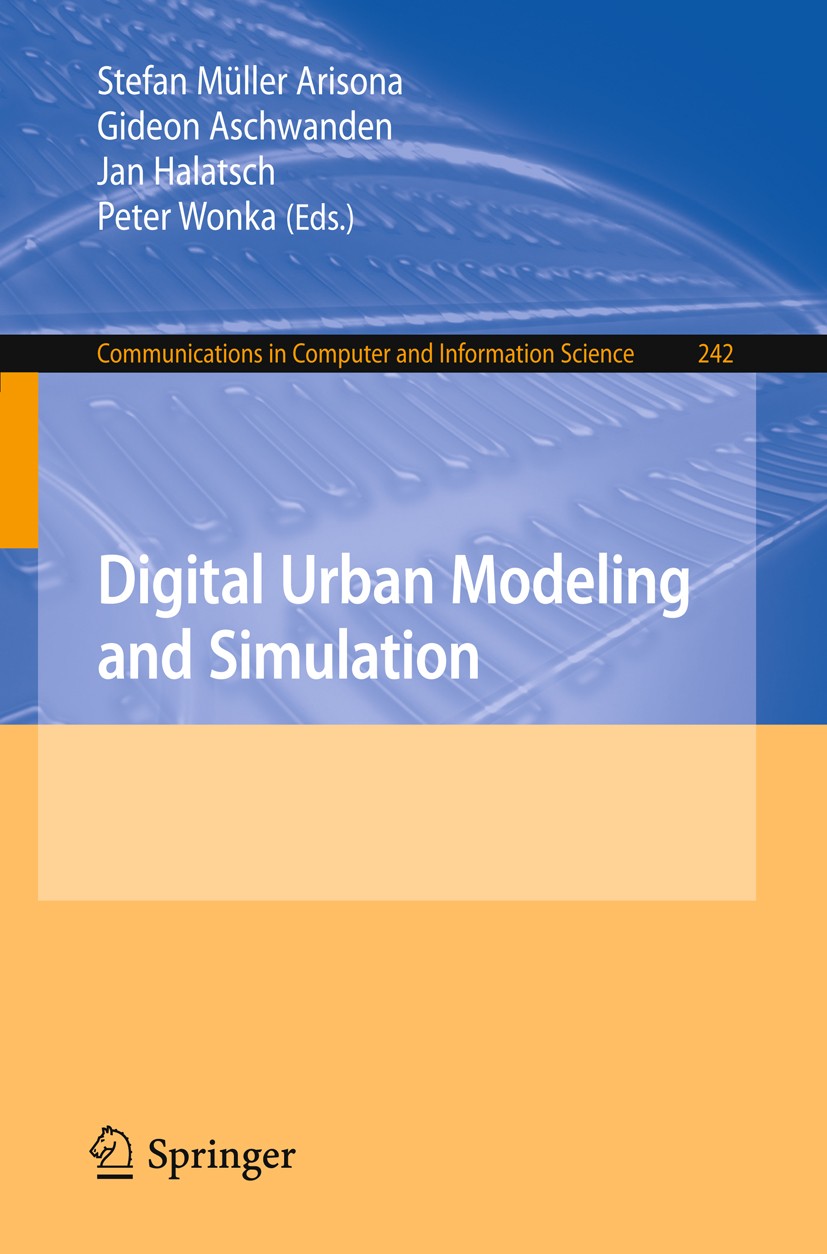
Book: Digital Urban Modeling and Simulation
Edited by Stefan Arisona, Gideon Aschwanden, Jan Halatsch, and Peter Wonka, 2012
About this Book
This book is thematically positioned at the intersections of Urban Design, Architecture, Civil Engineering and Computer Science, and it has the goal to provide specialists coming from respective fields a multi-angle overview of state-of-the-art work currently being carried out. It addresses both newcomers who wish to obtain more knowledge about this growing area of interest, as well as established researchers and practitioners who want to keep up to date. In terms of organization, the volume starts out with chapters looking at the domain at a wide-angle and then moves focus towards technical viewpoints and approaches. (Excerpt from preface by Stefan Arisona).
Contents
Part I: Introduction
A Planning Environment for the Design of Future Cities - Gerhard Schmitt
Calculating Cities - Bharat Dave
The City as a Socio-technical System: A Spatial Reformulation in the Light of the Levels Problem and the Parallel Problem - Bill Hillier
Technology-Augmented Changes in the Design and Delivery of the Built Environment - Martin Riese
Part II: Parametric Models and Information Modeling
City Induction: A Model for Formulating, Generating, and Evaluating Urban Designs - José P. Duarte, José N. Beirão, Nuno Montenegro, and Jorge Gil
Sortal Grammars for Urban Design: A Sortal Approach to Urban Data Modeling and Generation - Rudi Stouffs, José N. Beirão, and José P. Duarte
Sort Machines - Thomas Grasl and Athanassios Economou
Modeling Water Use for Sustainable Urban Design - Ramesh Krishnamurti, Tajin Biswas, and Tsung-Hsien Wang
Part III: Behavior Modeling and Simulation
Simulation Heuristics for Urban Design - Christian Derix, Åsmund Gamlesæter, Pablo Miranda, Lucy Helme, and Karl Kropf
Running Urban Microsimulations Consistently with Real-World Data - Gunnar Flötteröod and Michel Bierlaire
Urban Energy Flow Modelling: A Data-Aware Approach - Diane Perez and Darren Robinson
Interactive Large-Scale Crowd Simulation - Dinesh Manocha and Ming C. Lin
An Information Theoretical Approach to Crowd Simulation - Cagatay Turkay, Emre Koc, and Selim Balcisoy
Integrating Urban Simulation and Visualization - Daniel G. Aliaga
Part IV: Visualization, Collaboration and Interaction
Visualization and Decision Support Tools in Urban Planning - Antje Kunze, Remo Burkhard, Serge Gebhardt, and Bige Tuncer
Spatiotemporal Visualisation: A Survey and Outlook - Chen Zhong, Tao Wang, Wei Zeng, and Stefan Arisona
Multi-touch Wall Displays for Informational and Interactive Collaborative Space - Ian Vince McLoughlin, Li Ming Ang, and Wooi Boon Goh
Testing Guide Signs’ Visibility for Pedestrians in Motion by an Immersive Visual Simulation System - Ryuzo Ohno and Yohei Wada
Publication Information
Publisher: Springer, Berlin Heidelberg
Series: Communications in Computer and Information Science, Vol. 242
Editors: Arisona, S.; Aschwanden, G.; Halatsch, J.; Wonka, P.
Year: 2012
ISBN: 978-3-642-29757-1
Link: https://www.springeronline.com/978-3-642-29757-1